
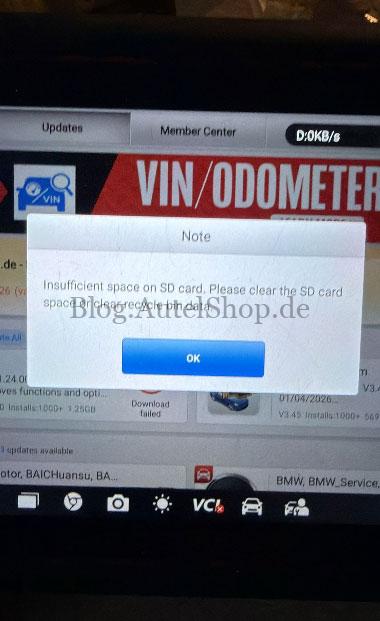
For users of the Autel MaxiPRO MP900BT, a specific error may occur during updates: “Insufficient space on SD card. Please clear the SD card space or clear recycle bin data”.
This technical guide is specifically for cases where:
- The SD card has sufficient free memory.
- The error persists even after multiple factory resets.
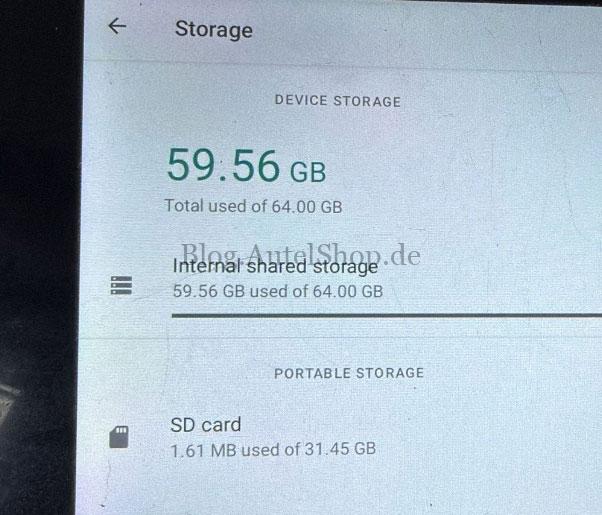
This indicates the tablet’s internal memory block is full, requiring manual intervention.
Root Cause: Why Standard Resets Fail
- Default Path: The Autel system prioritizes the tablet’s internal storage for download tasks by default.
- Residual Vehicle Data: Standard factory resets often bypass the specific vehicle software folders, leaving large, obsolete files in the internal storage.
The Solution: Manual Internal Storage Clearance
To resolve this conflict, follow these steps to manually free up internal space:
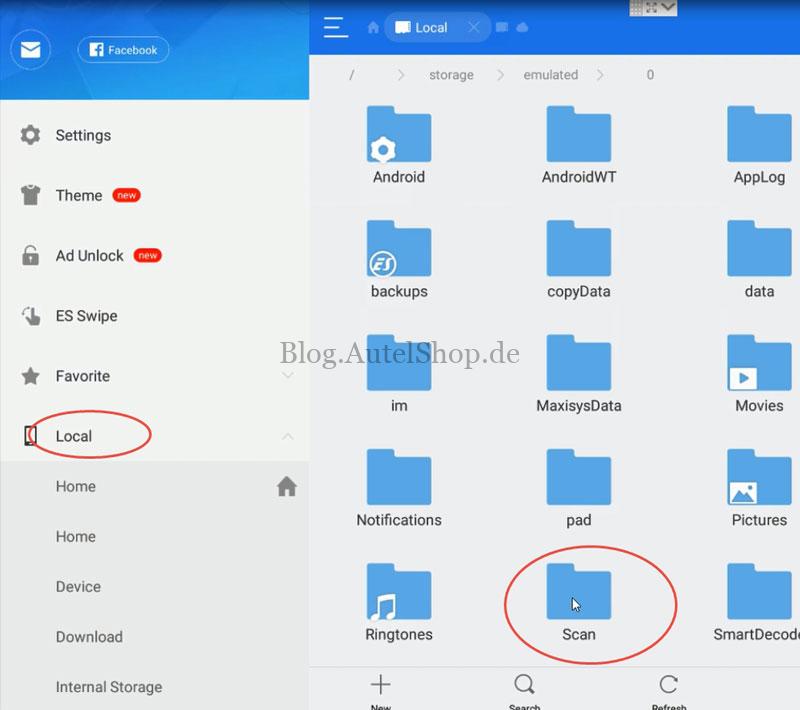
- Open File Manager: Access the local file system on your Autel MP900BT tablet.
- Navigate to Path: Go to:
Internal Storage > Scan > Vehicle. - Delete Regional Folders: Identify large folders (e.g., ASIA or Europe) and delete one or two non-essential vehicle folders to create immediate buffer space.
- Retry Update: Restart the download process; the system will now recognize the available space.
Technical Support
This solution was verified by www.autelshop.de. If you continue to experience storage issues, contact technical support:
- Email: sales@AutelShop.de
- Wechat/Whatsapp: +86-13429866263
Read also:
Fixed: Autel IM608 II Insufficient Storage Space to Upgrade Issue