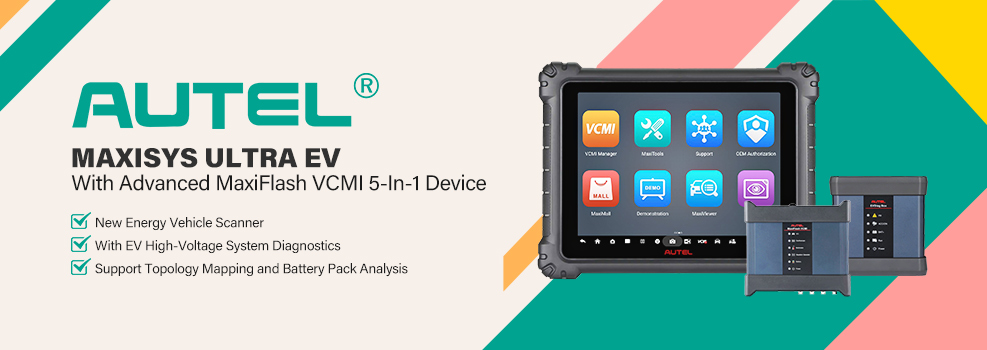

Using the Autel MaxiSYS Ultra EV, this guide shows how to check the high-voltage battery condition of a 2016 Nissan Leaf (30kWh, 147,797 km) via OBD, including module status, cell status, and live battery data, and then generate a diagnostic report.
At this mileage, battery condition is a key factor affecting the vehicle’s usability, making it necessary to read real battery data directly from the system.
Check Video Tutorial
Step-by-Step Guide
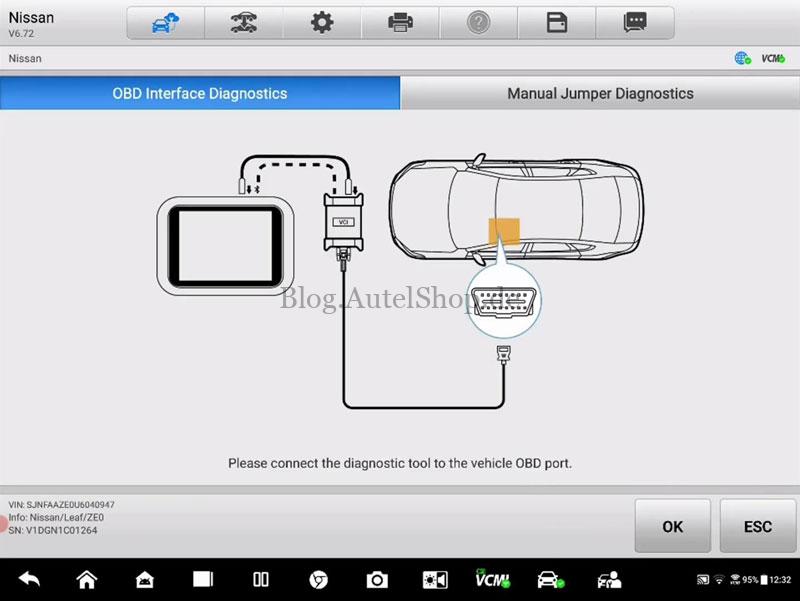
- Connect the Autel Ultra EV to the vehicle OBD port and switch on ignition.
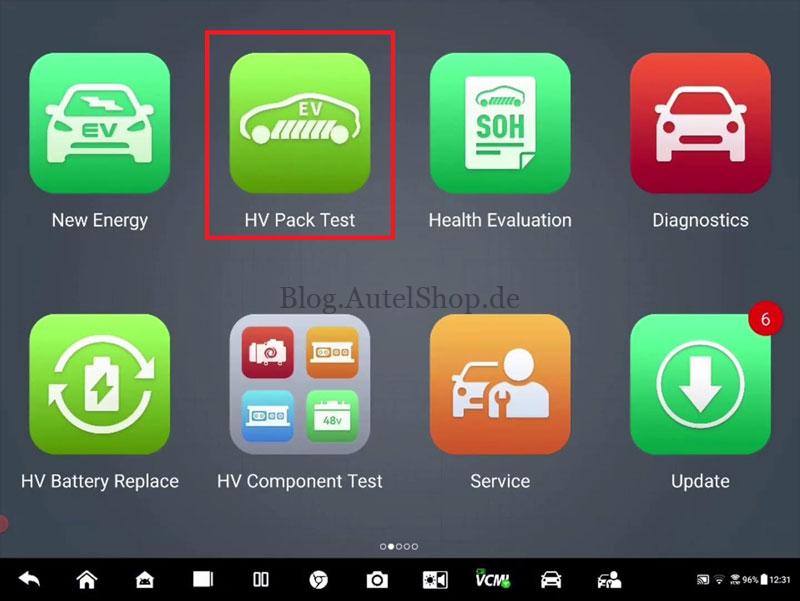
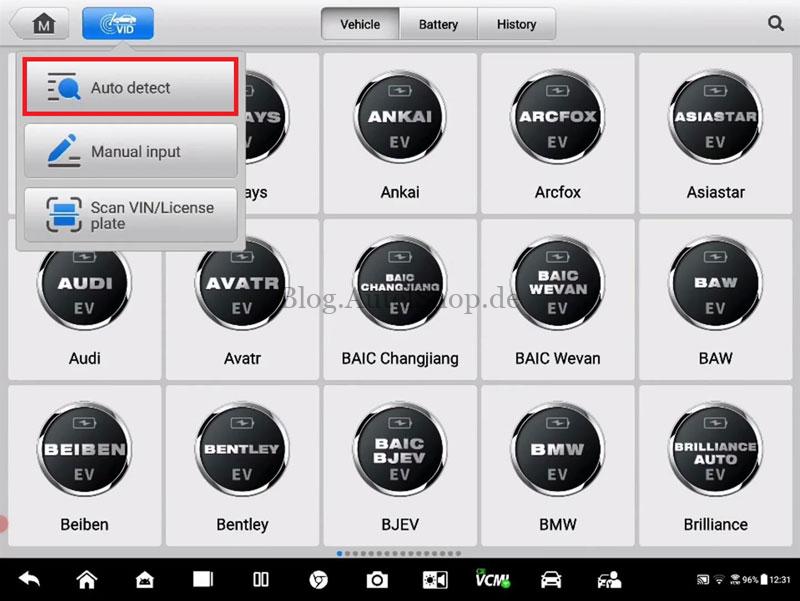
- Select: HV Pack Test >> Auto Detect
- Read the technical certification, risk warning, and disclaimer, then press: OK >> Accept
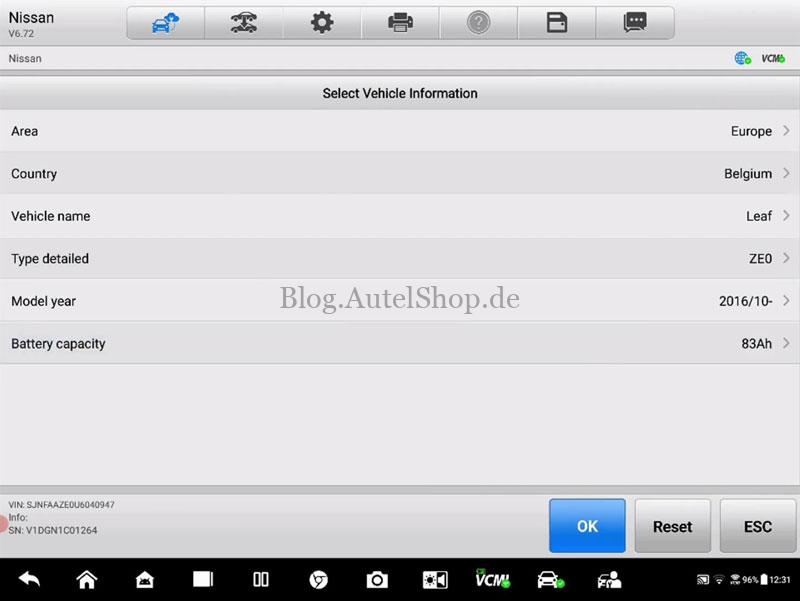
- Follow the vehicle selection path:Europe >> Belgium >> Leaf >> ZE0 >> 2016/10- >> 83Ah
- The system will establish communication with the battery management system.
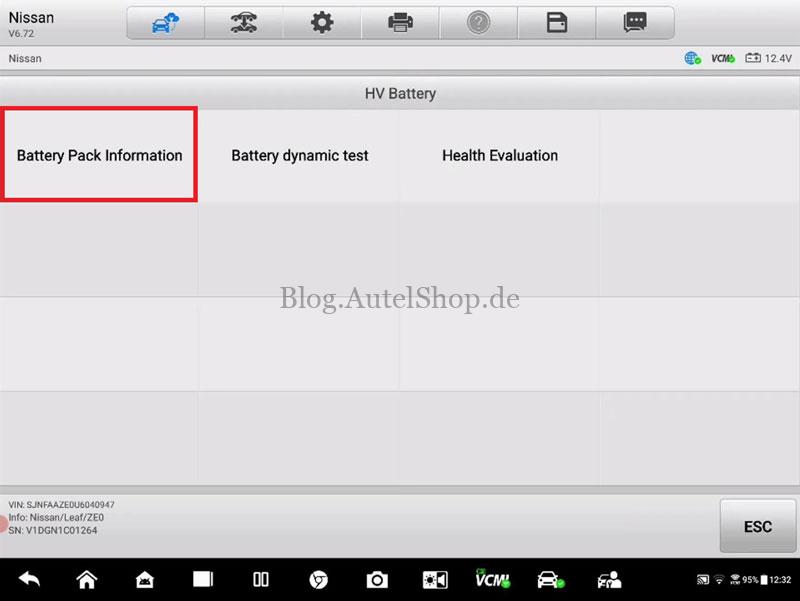
Battery Pack Information
Select: Battery Pack Information
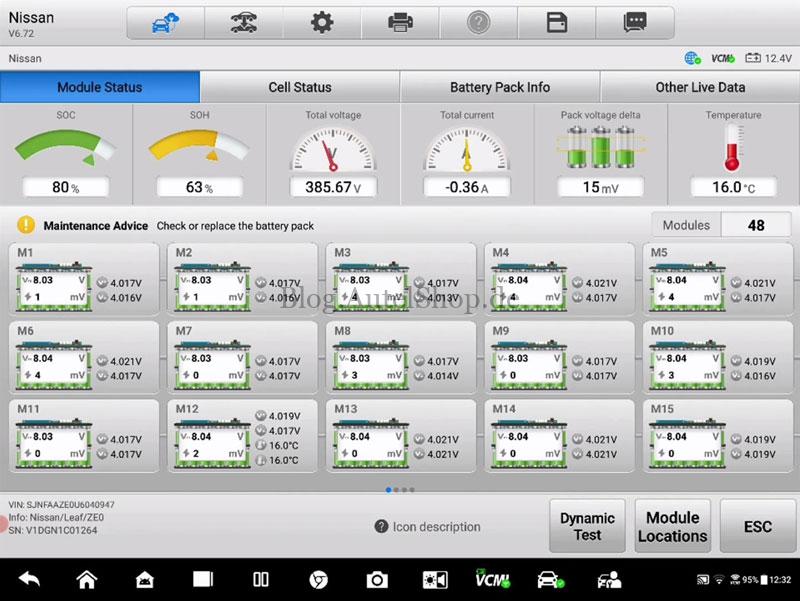
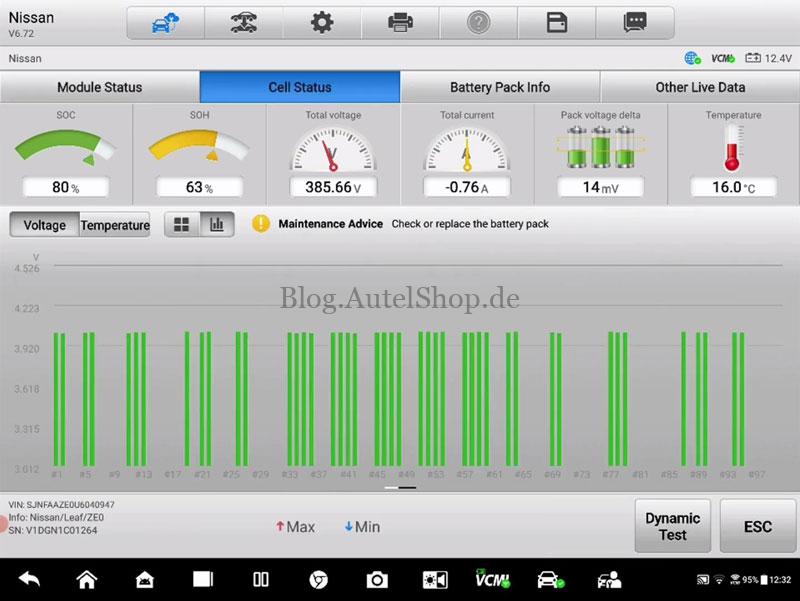
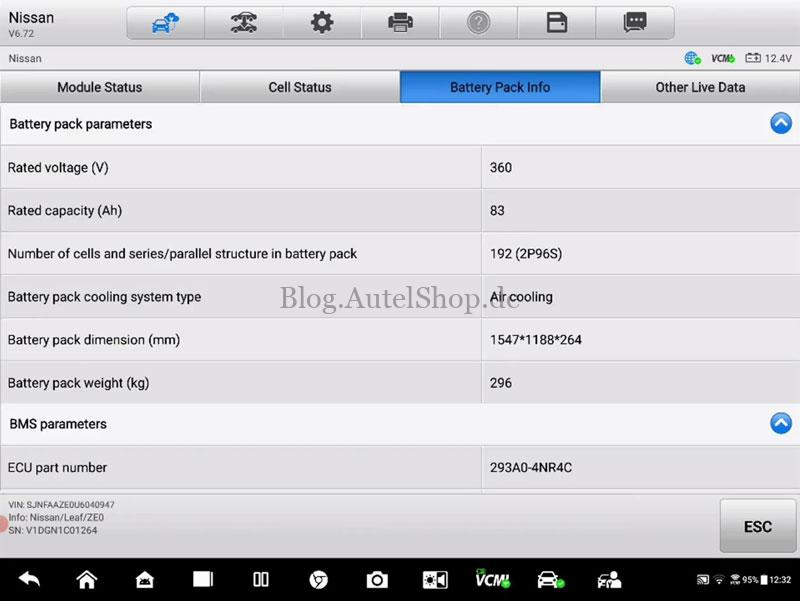
Here you can view live battery data directly from the vehicle, including:
- Module status
- Cell status
- Battery pack information
- Other live data
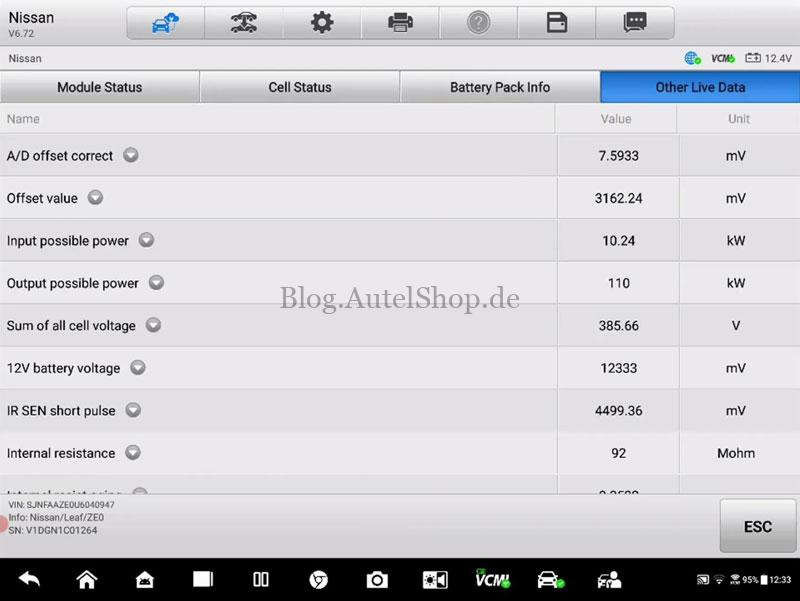
Generate Test Report
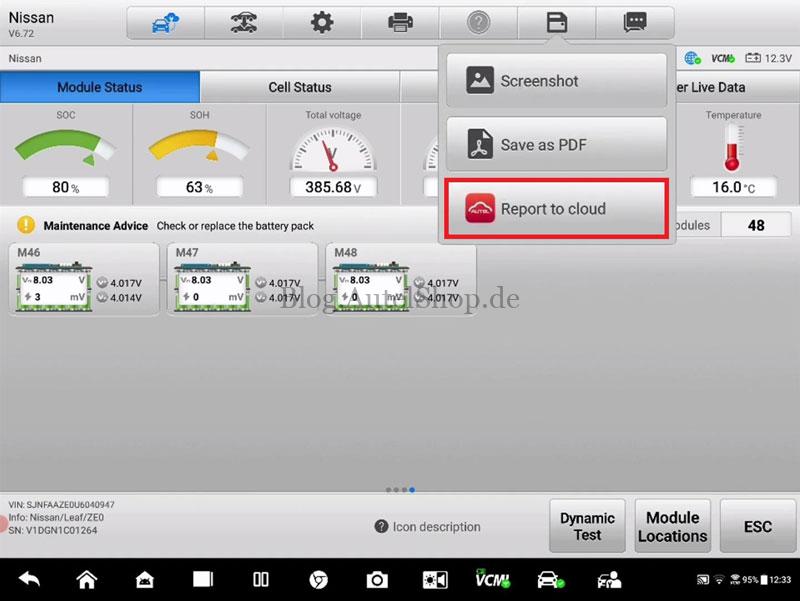
- Press: Save >> Report to Cloud
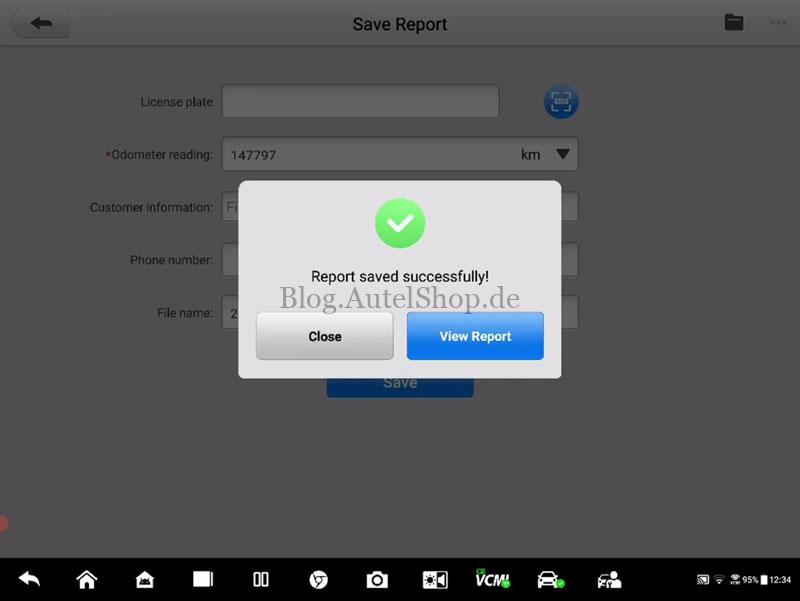
- Enter odometer reading: 147,797 km, press Save.
- After upload is completed, the system shows: “Report saved successfully”
- Select: View Report
- The battery test report is now available.

Why Use Autel MaxiSYS Ultra EV
The Autel MaxiSYS Ultra EV provides direct OEM-level EV battery diagnostics and allows structured HV battery data reading and report generation in a single workflow.
Read also
Free Autel SOH Blitz Test Now Available for Ultra EV & MS909/919 EV
Free Autel SOH Blitz Test Now Available for Ultra EV & MS909/919 EV
Technical Support
Email: sales@AutelShop.de
Wechat: +86-13429866263
Whatsapp: +86-13429866263
www.autelshop.de