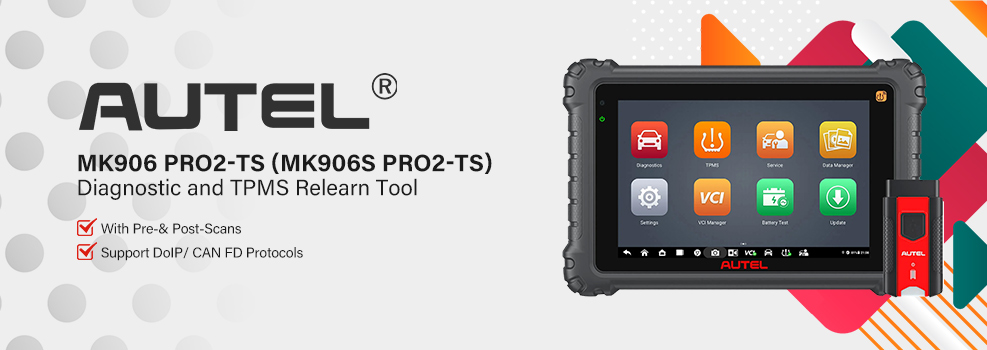

The Autel MaxiCOM MK906 Pro2-TS includes a smart Vehicle Identification Detection (VID) feature to quickly and accurately recognize your vehicle. Here’s how to use it in three simple methods.
Compatible Models:
This guide supports Autel MaxiSys MS908S II, MS908S Pro II, MS906 Pro/MS906 Pro-TS/MS906 Pro2-TS, MS909EV, MS909, MS919, MS908S3, and MaxiCOM MK908 II, MK908 Pro II, MK906 Pro/MK906 Pro-TS/MK906 Pro2-TS, MK906S PRO/MK906S PRO-TS/MK906S PRO2-TS.
Before You Start:
Make sure your diagnostic tool is connected to a stable Wi-Fi network for optimal performance.
- Scan VIN
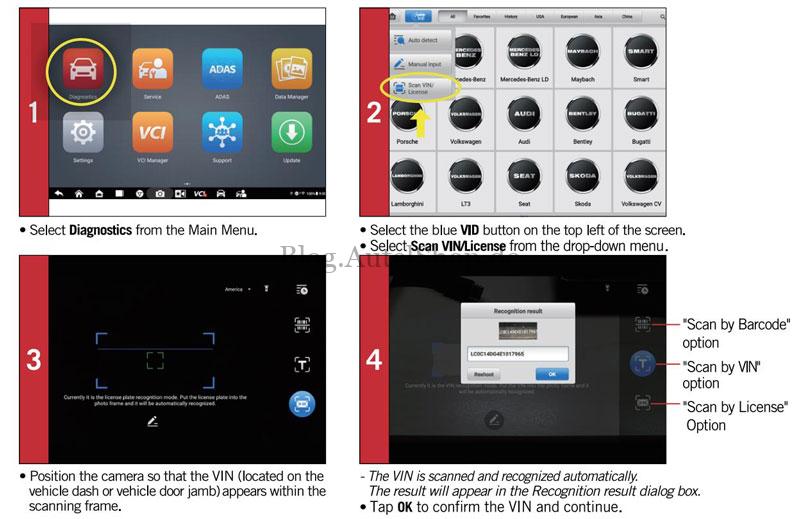
Use the built-in camera to scan your Vehicle Identification Number (VIN).
- Go to Diagnostics > tap the ID button > select Scan VIN/License.
- Point the camera at the VIN (usually on the dashboard or driver’s door jamb) within the scanning frame.
- The VIN will be recognized automatically. Confirm the result and tap OK to proceed.
- Auto VIN Detect
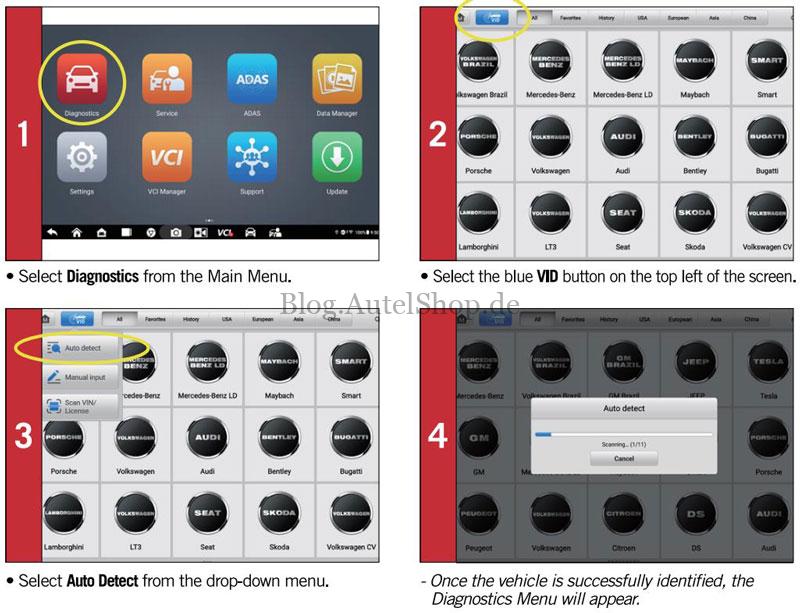
Let the tool automatically detect your vehicle.
- From the main screen, select Diagnostics > tap the Blue VID button > choose Auto Detect.
- Once the vehicle is identified, the Diagnostics menu will load automatically.
- Auto-Scan
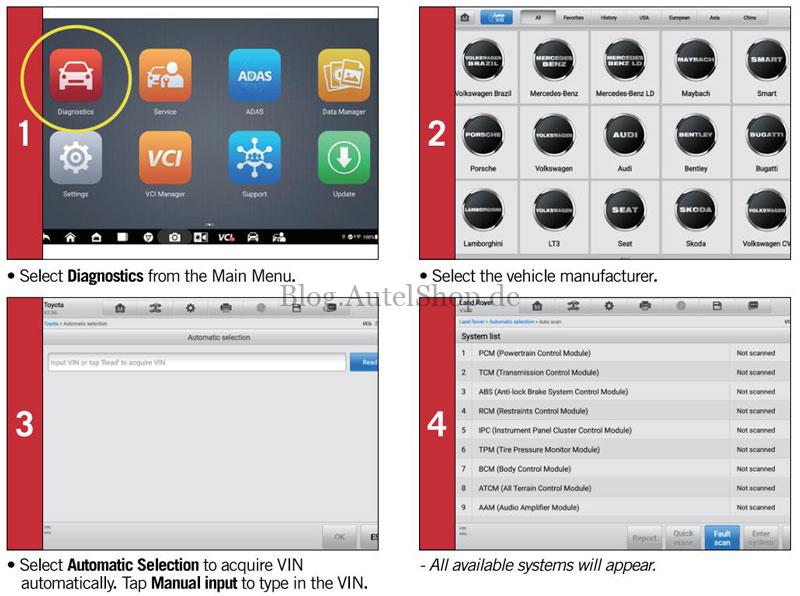
Perform a full system scan with automatic VIN detection.
- Select Diagnostics from the main menu.
- Choose your vehicle’s manufacturer.
- Select Automatic Selection to let the tool read the VIN, or tap Manual Input to enter it yourself.
- All available vehicle systems will be displayed for further diagnosis.
For more information, visit: www.autelshop.de
Contact Info:
Email: sales@AutelShop.de
Wechat: +86-13429866263
Whatsapp: +86-13429866263